UI/UX design agency for web and mobile apps
We design product interfaces for web and native apps (flows, screens, components and prototypes) at real device sizes, with every state documented so your developers can build it without guessing. We also design the store screenshots that sell the app.
- $4,000
- 3-8 weeks
- Figma files, prototype, handoff specs
- A free discovery call
Who it’s for
Who our product design is for
Startups shaping a first product
From user flows and wireframes to a clickable prototype you can test with users or walk an investor through.
SaaS teams with a growing product
A component library and design tokens that keep new features consistent and stop the interface drifting screen by screen.
Apps preparing a store listing
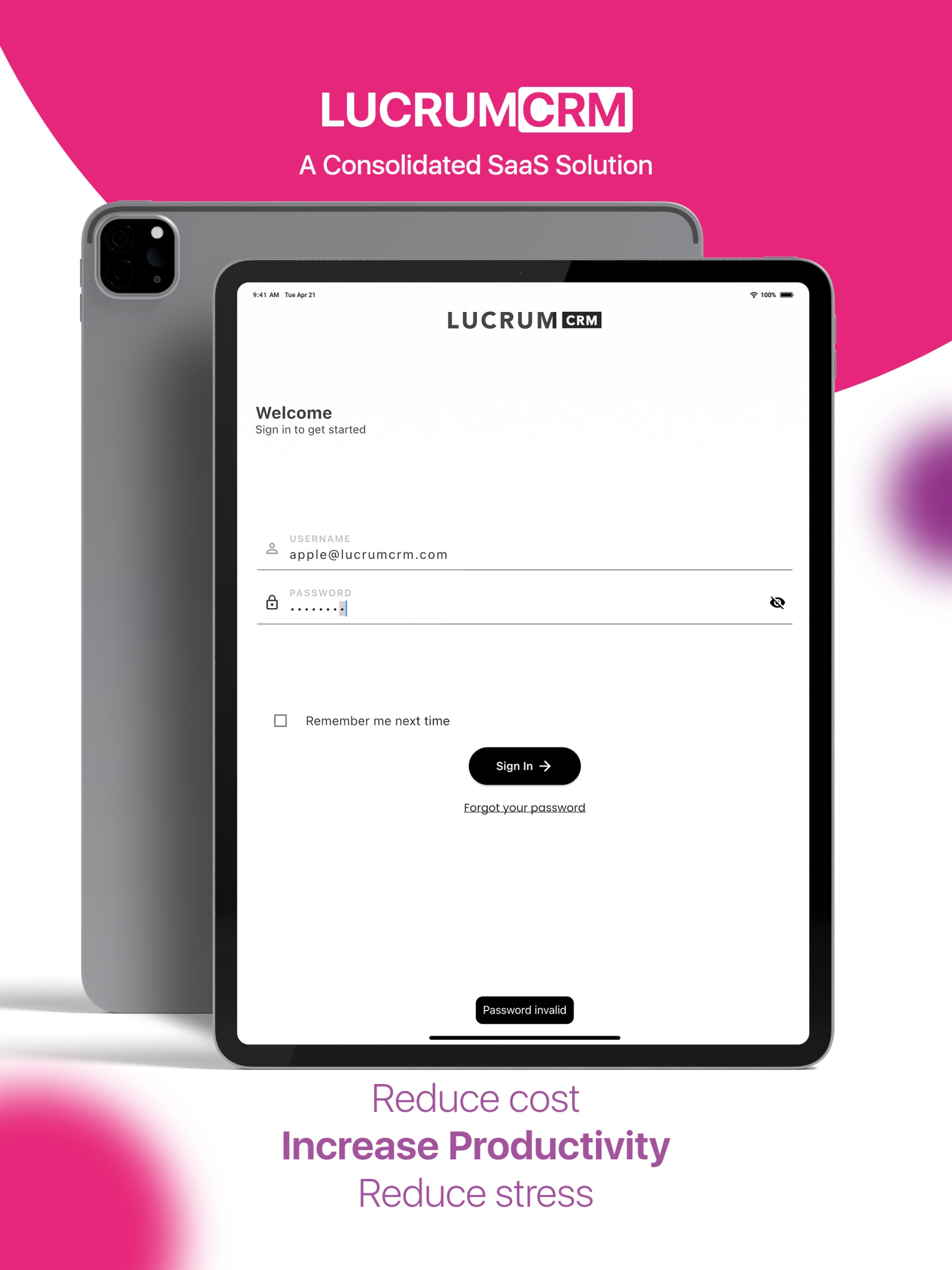
Screenshot sets that pair one real screen with one reason to install, laid out for each device size, like our Lucrum CRM set.
Developers without a designer
Designs and handoff documentation your engineers can build directly, including the empty, loading and error states.
Our approach
Where products actually fail
Products rarely fail on the hero screen. They fail on the boring parts: an empty state nobody designed, an error message that blames the user, spacing that changes from one screen to the next, handoff files exported at the wrong resolution. We map the flows before designing a single screen, and we design those states alongside the happy path.
Because we also build websites and web apps, we design with implementation in mind: one shared component set adapted per platform, tokens a developer can drop into code, and exports at true device sizes rather than scaled by guesswork.
Store listings are a narrower job and just as specific. The first screenshots are often all a visitor sees before deciding, so each frame pairs one real screen with one benefit headline, readable at thumbnail size and laid out separately for every device.
Deliverables
What you get, and in which formats
- User flows and wireframes
- Every key journey mapped and laid out before visual design
- High-fidelity screens
- iOS, Android, tablet and web, designed in Figma
- Component library and tokens
- Color, type, spacing and components, named the way developers name them
- Clickable prototype
- A Figma prototype for testing, demos and stakeholder review
- Every state
- Empty, loading, error and success states for each screen
- Handoff documentation
- Specs, assets at true device resolution and notes on edge cases
- App store screenshots
- Laid out per device, for example 1290×2796 and 1242×2208 for iPhone and 2048×2732 for iPad
Process
How a product design project runs
Typical timeline: 3-8 weeks.
- 01Week 1
Discovery
Users, goals, constraints and the current product, if there is one.
- 02Weeks 1-2
Flows and wireframes
Journeys mapped and screens laid out in low fidelity, so the structure is agreed first.
- 03Weeks 2-5
Visual design
High-fidelity screens built from a shared component set.
- 04Weeks 4-6
Prototype and review
A clickable prototype for testing, with changes made in the components so they apply everywhere.
- 05Final week
Handoff
Specs, tokens, states and assets packaged for your developers.
Proof
Interface and app store work
Our public portfolio’s interface work today is store-listing design: the Lucrum CRM set of fifteen screenshots across three device sizes. Our founder’s background includes designing PickSpace.com and leading the animation system for HuddleXR, a virtual events platform; ask us to walk you through it on a call.
Included at the starting price
- User flows and wireframes
- High-fidelity interface design
- Device-accurate assets for iOS, Android and tablet
- A component library and design tokens
- A clickable prototype and handoff documentation
What moves the price
- The number of distinct screens and flows
- How many platforms: iOS, Android, web, tablet
- Research and usability testing rounds
- Whether a design system already exists
Product and app interface design is also part of our Partner package (from $9,000), alongside development and AI automation.
FAQ
UI/UX and app design questions
How much does UI/UX design cost?
Interface design starts from $4,000 for flows, wireframes, high-fidelity screens, a component library, a prototype and handoff. The number of distinct screens and platforms, and any research or testing rounds, move the price. A store-screenshot set on its own is a much smaller job.
How long does app design take?
Three to eight weeks for most products: about two weeks for discovery, flows and wireframes, then visual design, prototyping and handoff. A single new feature or a screenshot set takes far less.
Which design tools do you use?
Figma by default, so your team can comment, inspect and reuse components directly. We also work in Adobe XD when a team already uses it.
Can you build the app too?
We design and build websites and web apps, so a web product can go from design to code with the same team. For native iOS and Android apps we design and hand off to your developers, with documentation they can build from.
Which app store screenshot sizes do you design?
The current sizes for each store, laid out separately rather than scaled from one design. The Lucrum CRM set, for example, was built at 1290×2796 and 1242×2208 for iPhone and 2048×2732 for iPad. Store requirements change, so we check them at the start of every project.
Do you do user research and testing?
Every project includes discovery with your team, and flows are tested with a clickable prototype. Formal user research or moderated testing can be added to the scope; we recommend it when the risk justifies the cost.
What do developers receive at handoff?
A Figma file organized by flow, a component library with named tokens for color, type and spacing, every state for each screen, assets exported at true device resolution, and written notes on behavior and edge cases. We answer your developers’ questions during the build.
Can you improve an existing app instead of starting over?
Yes. We often start with an audit of the current product, fix the flows and states that cause the most friction, and build the component library as we go rather than redesigning everything at once.
Keep exploring
Related services and reading
Building a product people can use?
Tell us what the product does and who it is for. We will come back with a scope, a timeline and a fixed price.